If you manually invoice your studio in bulk, we have a cool new feature for you! Bulk invoicing now has an option to skip invoices that would display $0 owing. Previously, this was only available if you were using the auto-invoicing feature. Now you can easily avoid creating invoices when nothing is owed. And don’t worry, if your studio uses the setting that displays a credit as a “Balance Remaining”, these invoices will still be created for you.
This week’s other cool new additions and touch-ups:
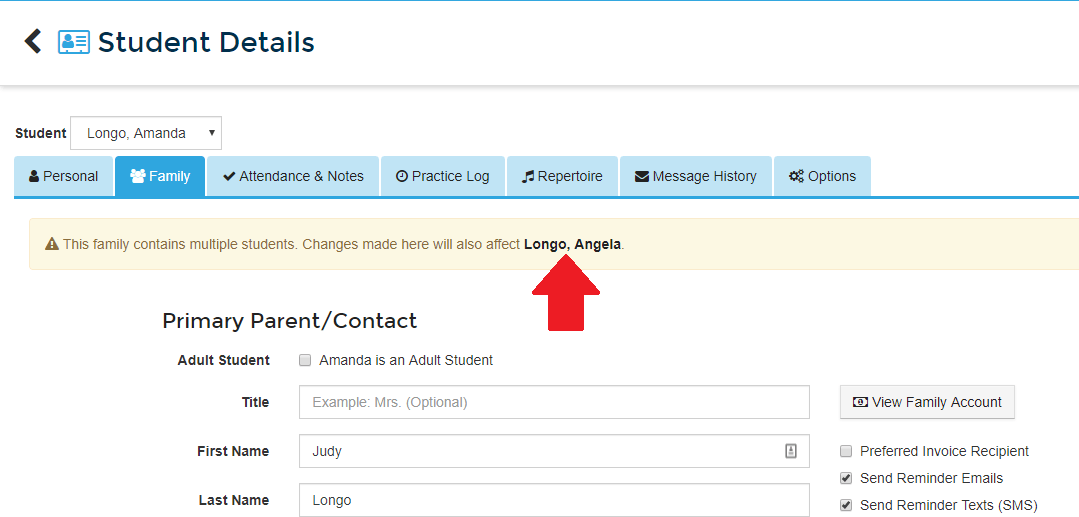
- The information box that displays at the top of Family tab on the Student Details page for multi-student families now contains links to switch between students.
- The Sign-Up Widget on websites using the “Simplex” theme has been updated to help the checkboxes and radio button lists stand out better.
- We fixed a typo in the make-up credit explanation message provided in the email notification teachers receive when a lesson is cancelled through the Student Portal.
- We fixed an issue that would prevent PayPal Pro users from modifying their online payments settings.
Did you know? The new sign-up widget allows parents to enroll multiple students at the same time!
Please note: If you require technical assistance, please contact our support team at support@mymusicstaff.com
 English
 French
 Japanese
 Spanish
 Dutch
Dutch
 German